Screen recorders can be used by your team for a variety of purposes, including making lessons for your website, capturing a frequently occurring technical issue, or sending a brief note to your marketing team in place of an email.
Not to mention, your team’s many divisions, like marketing, sales, and customer support, can all benefit from watching product demonstrations and training films.
Whether you work for a small business or an enterprise corporation, let’s learn about the best screen recorders for your business in the sections below.
Explore more in our digital marketing guide and social media marketing resources.
What is the Best Screen Recorder?
Depending on your needs, the best option will vary. Use it for work, do you? For amusement? Will you be using a different platform to live stream? Selecting a screen recording tool will be simpler once you’ve determined your use cases.
The following traits are some you should consider:
- Cost
- User experience and usability
- integrated editing tools
- Sound quality
Although we are unable to say with certainty which screen recorder is best for you, we have put together a list of some of our favorites.
Top 10 Best Screen Recording Software
Here is a list of the top 10 screen recorder software you can use on your laptop or desktop.
1. Loom

One of the top screen recorders for Mac, Windows, and iOS is Loom. It is best for Work communication.
It’s simple to record your entire or a portion of your screen while narrating with your microphone. We have a history of using it at OTT SEO to communicate information to our marketing team.
Once you’ve finished filming, it provides simple editing features that let you cut the video or add a call-to-action (CTA) and unique thumbnail.
You may instantly share your video with a link and even add a password for more protection. Loom is a fantastic option for office communications thanks to its user-friendly platform and privacy features.
Overall, this is an excellent option because it is quick, simple to use, and has all the features you might want.
Price:
- Starter Plan, free;
- BusinessPlan, $12.50/user/month;
- Enterprise, contact for pricing
2. Screencastify
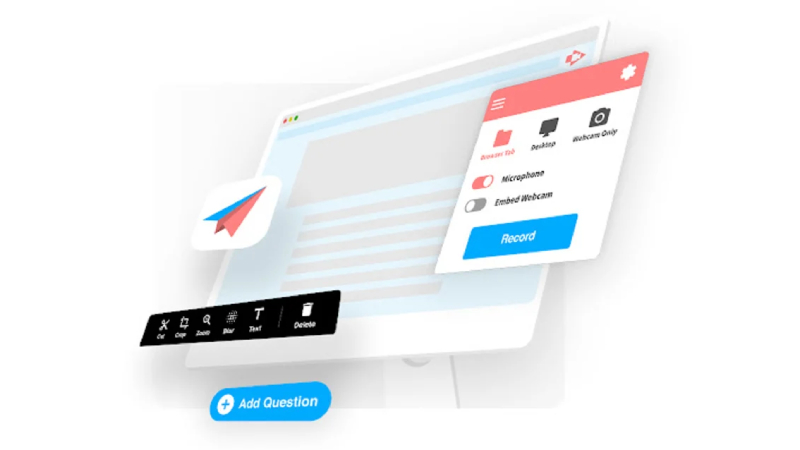
The best usage for the Google Chrome screen recorder Screencastify is to make tutorial videos.
You may quickly record up to five minutes of video of your screen and camera using its free version. You can also annotate, crop, and export your recordings to Google Drive or YouTube. For a deeper dive, explore our guide on Google Ads Grader.
The limitless recording length and priority support are two of the extra features available in the paid versions.
Narration, offline recording, immediate sharing via Google Drive, and direct upload possibilities are further features.
It’s a great alternative for tutorial videos because of the simple comments and flexible screen choices.
Price:
- Free;
- Starter: $7/user/month
- Pro: $10/user/month
3. OBS Studio
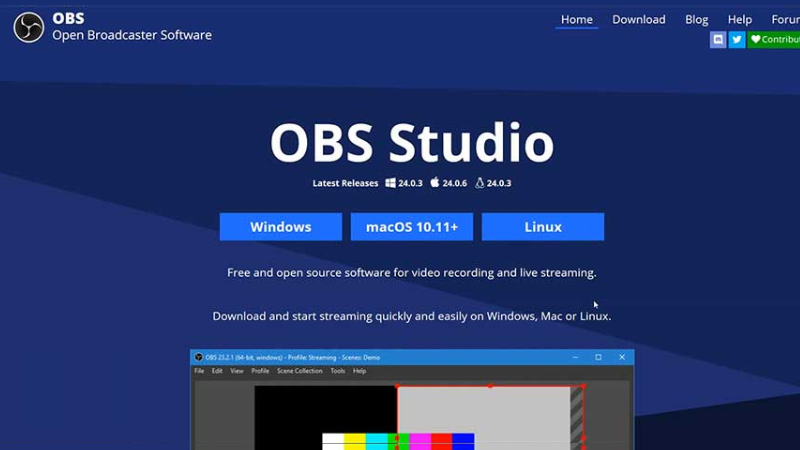
Screen recording software called Open Broadcaster Software (OBS) is primarily employed for live streaming on websites like Twitch and YouTube.
You have the option to select which portion of the screen to record when you start recording, and you will have access to an audio mixer. The audio mixer will provide sound quality that is professional.
You can record an infinite number of scenes using OBS and flip between them smoothly using custom transitions.
A streamlined settings panel is another feature of this software that gives you a number of configuration options for your broadcast or recording.
Its ability to be customized makes it among the greatest screen recorders.
Price: Free
READ MORE: Live Streaming Platforms: Which One is Right for Your Brand?
4. Movavi Screen Recorder

Users can record their desktop activity with the PC and Mac screen recorder Movavi Screen Recorder. It provides simple tools for making high-quality recordings of any kind, including tutorials, presentations, internet calls and webinars. For a deeper dive, explore our guide on Web Analytics Tools.
You may record your entire screen or just a portion of it with the screen recorder, which can also record your webcam, microphone, and system sounds at the same time. Moreover, Movavi Screen Recorder has controls for changing the recording parameters, such as bitrate, frame rate, and video and audio codecs.
Also, you may emphasize mouse clicks and cursor movements while using this screen recording software’s feature to draw on the screen while it’s being recorded. This can be applied to the video to highlight important details or add annotations.
Price:
- 7-day Free Trial;
- $42.95/year
- $57.95 for a lifetime license
5. Recordscreen.io

RecordScreen.io is one of the greatest solutions if you want a straightforward, hassle-free option.
You only need to visit the website and select Record. Afterward, you can decide whether to only record the screen or to record the webcam as well.
All that’s left to do is download the video after you’re done.
Price: Free
6. CloudApp
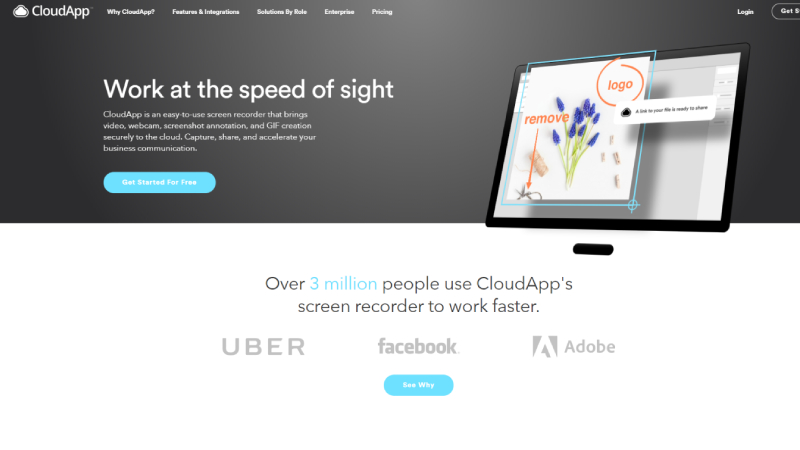
For the enterprise business in need of screen recording capabilities, CloudApp is a fantastic choice.
For smaller teams, it still provides lightweight versions. You may make brief films with minimal editing tools, GIFs, and annotations using the free version.
The more powerful business tool is still an expense. Custom branding, management, and support features are available with paid versions but not with other options. For a deeper dive, explore our guide on Ubersuggest Chrome Extension.
CloudApp also provides analytics and information about where and from whom your content is viewed.
It’s a fantastic choice for bigger businesses thanks to its strong enterprise capabilities.
Price:
- Free;
- Individual: $9.95/month;
- Team: $8/user per month;
- Enterprise: contact for pricing
7. TinyTake

Another screen recording choice for Windows and Mac users is TinyTake.
You may record presentations, films, and photos when you start to record your screen. You can also make annotations and comments.
The annotation toolkit is perhaps one of the most distinctive aspects. For more privacy, you may quickly add text, highlight, draw arrows, or blur certain areas of your screen. An easy approach to mark product reviews or demos is with this tool.
You should purchase a paid version of this product to get the most value out of it. The recording capacity and annotation options are where the free and premium versions diverge most.
Price:
- Basic: free;
- Standard: $29.95/year
- Plus: $59.95/year
- Jumbo: $99.95/year
8. Camtasia
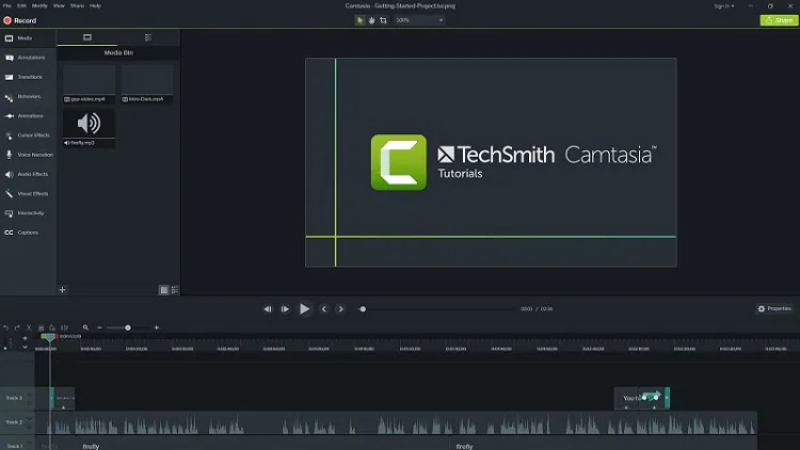
For Mac and Windows users who want to produce a professional-looking webinar, explainer, or knowledge base videos, Camtasia is a screen recording option.
With the help of this program, you may record your screen and audio, add transitions and effects, and then immediately publish your video to Screencast, Vimeo, or YouTube.
Additionally, this software provides elements like music and audio from its library of sound effects and music that are available without a license, catchy titles and annotations, interactive quizzes, and animated transitions.
Its ability to produce more polished videos for your team sets it apart from other screen recording applications thanks to its integrated video editing capabilities.
Price:
- Individual, $299 one-time fee, install on two machines per user;
- Business, $239 – 299 depending on the size of your team
9. Snagit
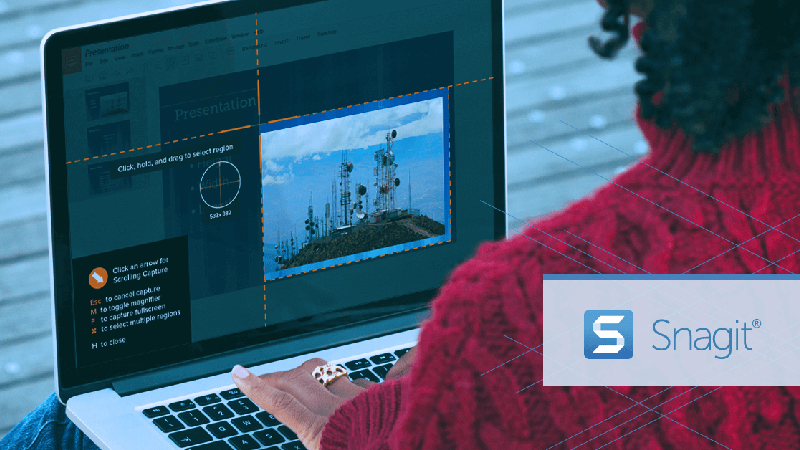
Your team may quickly make customized instructional videos with this option.
You have the option of starting from scratch or using one of the available templates or pictures to make your film.
Once the procedure has been recorded, you may annotate the screenshots or walk through it verbally to include visual instructions like unique how-to guides or tutorials.
Snagit also provides other customizable features. On your screen capture, you may simply reposition buttons, move objects around, erase, and edit text.
Also, the step tool enables you to easily record a workflow and procedure using a sequence of numbers.
The tools are adaptable and were designed with step-by-step tutorial videos in mind.
Price:
- Individual: $62.99 one-time fee, install on two machines per user;
- Business: $31.99 – 62.99 depending on the size of your team;
- Education: $22.46 – $37.99 depending on the size of your team
10. Droplr
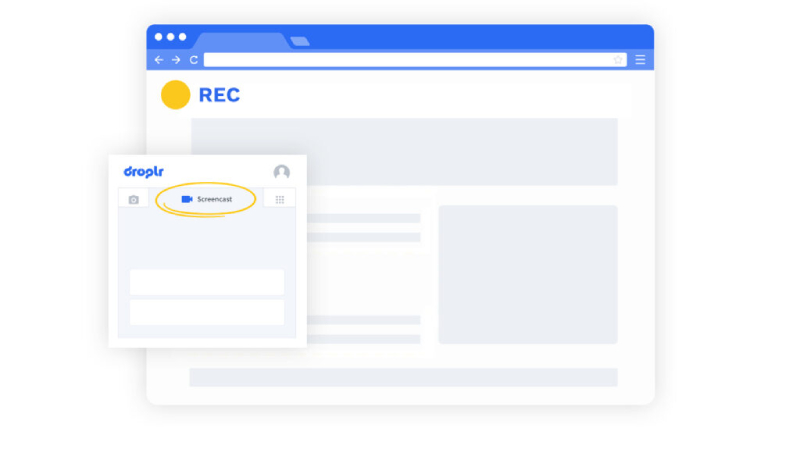
The best application for the screencasting technology Droplr is remote collaboration.
You can add messages to the text area when taking a snapshot or recording your screen to further elaborate.
There is also a privacy function that lets you obfuscate important data to protect your content.
The ability to brand your movies with customizable short links that use your company domain, a company logo, and your own branding images for professionalism is one of the best features, though.
Overall, this is a fantastic choice for remote teams to complete their work more quickly because of the comprehensive annotation capability.
Price:
- Pro: $6/month per user
- Teams: Starting at $79/month per user
- Enterprise: Custom pricing
Simplify Your Workflow With Best Screen Recorders
You must use the best screen recording software whether you need to capture a message for your team, a product demo, or a webinar. There are more advanced options available for larger businesses, there are also many free and easy-to-use options that can be just as effective for smaller-scale projects. By taking advantage of the benefits of screen recording software, you can simplify your workflow and achieve your goals with greater ease and precision.
Frequently Asked Questions
Q: What is this guide about?
This comprehensive guide provides strategies and best practices for achieving success in your marketing efforts. Following these approaches can help improve your results and competitive advantage. For a deeper dive, explore our guide on Ubersuggest.
Q: How long does it take to see results?
Results vary depending on consistency and implementation quality. Most strategies require 3-6 months of dedicated effort before significant improvements become visible. Ongoing optimization is essential.
Q: Do I need professional help?
While basic implementation can be done independently, professional guidance often accelerates results and helps avoid common mistakes. Consider experts if you lack internal resources.
Q: What are the most important factors for success?
Key success factors include thorough research, consistent execution, quality over quantity, regular performance monitoring, and adapting to industry changes.
Q: How do I measure success?
Success depends on your goals but typically involves tracking KPIs like traffic, conversions, revenue, and engagement rates. Regular analysis helps identify improvements.
Q: What digital marketing channels should I focus on?
The best channels depend on your audience. Most businesses benefit from SEO, content marketing, social media, and paid advertising. Start where your audience is most active.
The Evolution of Digital Marketing: From Traditional to Modern Approaches
Digital marketing has undergone a remarkable transformation over the past two decades, evolving from simple banner advertisements and email campaigns to sophisticated, data-driven strategies that leverage artificial intelligence and machine learning. Understanding this evolution provides valuable context for developing effective modern marketing strategies that resonate with today’s consumers.
The early days of digital marketing were characterized by interruptive advertising tactics that prioritized visibility over relevance. Companies spent significant budgets on display ads that reached broad audiences but delivered limited engagement. As consumer behavior shifted and technology advanced, marketers began recognizing the value of permission-based marketing and targeted approaches that delivered personalized messages to specific audience segments.
Today’s digital marketing landscape demands integrated approaches that combine multiple channels and tactics into cohesive customer experiences. The most successful businesses recognize that modern consumers interact with brands through complex, non-linear journeys that span multiple devices and platforms. Meeting customers where they are requires sophisticated targeting capabilities, real-time personalization, and seamless cross-channel experiences.
The integration of marketing technology has enabled unprecedented levels of automation and optimization, allowing marketers to deliver the right message to the right person at the right time. These capabilities have transformed marketing from an art to a science, enabling continuous improvement based on real-time performance data and predictive analytics.
Strategic Content Development for Search Engine Success
Content remains the foundation of successful digital marketing, serving as the primary mechanism for attracting organic traffic, building brand authority, and engaging target audiences. Developing a comprehensive content strategy requires understanding search intent, creating valuable resources, and optimizing for both search engines and human readers.
Effective content addresses specific search queries while providing genuine value to readers. This requires deep understanding of your audience’s needs, questions, and pain points. The best content answers questions comprehensively, provides actionable insights, and offers unique perspectives that readers cannot find elsewhere.
Content optimization extends beyond keyword placement to include structural elements, readability, and multimedia integration. Well-structured content with clear headings, bullet points, and visual elements performs better in search results while delivering superior user experiences. Mobile optimization is particularly critical as mobile traffic continues growing.
Content promotion and distribution are equally important as creation. Even excellent content delivers limited results if target audiences cannot discover it. Strategic distribution leverages social media, email marketing, influencer partnerships, and paid promotion to maximize content reach and impact.
Data Analytics and Performance Measurement Fundamentals
Modern marketing success depends heavily on sophisticated analytics capabilities that enable data-driven decision making. Understanding which metrics matter most and how they connect to business outcomes allows continuous optimization of marketing efforts and improved return on investment. For a deeper dive, explore our guide on ROI Calculator.
Essential marketing metrics include traffic volume and sources, engagement rates, conversion rates, customer acquisition costs, and lifetime value. Each metric provides insights into different aspects of marketing performance, and comprehensive analysis reveals the full picture of marketing effectiveness.
Attribution modeling helps marketers understand how different touchpoints contribute to conversions. Multi-touch attribution provides more accurate pictures of customer journeys than last-click attribution, enabling better allocation of marketing budgets across channels and campaigns.
Advanced analytics approaches segment data by multiple dimensions to identify patterns and opportunities that aggregate data might miss. Understanding audience segments, channel performance, and campaign effectiveness enables continuous optimization and improved results over time.
Building Brand Authority Through Thought Leadership
Establishing thought leadership in your industry provides significant competitive advantages, including increased brand awareness, customer trust, and organic visibility. Thought leadership requires consistent creation of valuable content that demonstrates expertise and unique insights.
Effective thought leadership content addresses emerging trends, challenges conventional wisdom, and provides actionable guidance that readers can apply to their own situations. This type of content positions your brand as an authority that audiences can trust for reliable information and guidance.
Building thought leadership requires sustained effort over time, with consistent publication of high-quality content that addresses relevant industry topics. The most successful thought leadership strategies identify unique perspectives and expertise areas that differentiate your brand from competitors.
Distribution amplifies thought leadership impact. Strategic promotion through social media, email marketing, industry publications, and speaking opportunities extends reach and builds recognition among target audiences.
Maximizing Return on Marketing Investment
Proving and maximizing marketing return on investment requires clear objectives, sophisticated tracking, and continuous optimization. The most successful marketing organizations treat marketing as an investment that must deliver measurable returns rather than an expense that cannot be quantified.
ROI calculation requires understanding customer lifetime value, acquisition costs, and the contribution of marketing activities to revenue generation. These calculations enable informed budget allocation decisions and help identify the most effective marketing tactics for your specific business.
Continuous testing and optimization improve marketing performance over time. A/B testing, multivariate testing, and iterative improvement processes enable identification of optimal approaches and continuous enhancement of marketing effectiveness.
Marketing automation improves efficiency while enabling personalization at scale. Automating routine tasks frees marketing teams to focus on strategic initiatives while maintaining consistent customer experiences across touchpoints.
Future-Proofing Your Digital Marketing Strategy
The digital marketing landscape continues evolving rapidly, with emerging technologies, changing consumer behaviors, and new platforms creating both challenges and opportunities. Future-proofing your strategy requires staying current with trends while maintaining focus on fundamental marketing principles.
Artificial intelligence and machine learning continue transforming marketing capabilities, enabling more sophisticated targeting, personalization, and optimization. Businesses that embrace these technologies gain competitive advantages through improved efficiency and effectiveness.
Privacy regulations and changes to third-party cookies require adaptation of tracking and targeting approaches. First-party data strategies and consent-based marketing become increasingly important as the industry transitions to a privacy-focused environment.
Voice search, visual search, and AI-powered search experiences create new optimization requirements. Adapting content and technical strategies for these emerging search modalities positions businesses for success in evolving search environments.
Conclusion: Embracing Digital Marketing for Sustainable Business Growth
The digital marketing landscape presents unprecedented opportunities for businesses willing to invest in building their online presence. Success requires strategic approach, consistent effort, and willingness to adapt to changing technologies and consumer behaviors. By focusing on delivering genuine value to your audience and continuously optimizing based on data, your business can achieve sustainable growth through digital marketing.
Remember that digital marketing is an ongoing commitment rather than a one-time effort. The businesses that succeed view marketing as a strategic investment that delivers compounding returns over time. Stay focused on your objectives, measure results consistently, and maintain patience required for building lasting success in the dynamic digital environment.
The Evolution of Digital Marketing Strategy
Digital marketing has transformed dramatically over the past decade, evolving from simple banner advertisements to sophisticated, data-driven strategies that leverage artificial intelligence and machine learning.
Modern digital marketing requires integrated approaches combining multiple channels into cohesive customer experiences.
Content Marketing Best Practices
Content remains the foundation of successful digital marketing, serving as the primary mechanism for attracting organic traffic, building brand authority, and engaging target audiences.
Data-Driven Marketing Decisions
Modern marketing success depends on sophisticated analytics enabling data-driven decisions.
Building Brand Authority
Establishing thought leadership provides significant competitive advantages including increased brand awareness and customer trust.
Maximizing Marketing ROI
Proving marketing ROI requires clear objectives, sophisticated tracking, and continuous optimization.
Learn More: Home
Frequently Asked Questions
How do I choose the right marketing technology for my business?
Marketing technology selection framework: (1) Define the problem first — what specific workflow is broken or missing? Don’t buy tools searching for a use case; (2) Audit what you already have — most businesses are underutilizing existing tools before buying new ones; (3) Integration compatibility — does it connect to your CRM, analytics, and other core systems? Siloed tools create more problems than they solve; (4) Team adoption reality — the most powerful tool that nobody uses is worthless; assess your team’s technical comfort level; (5) Total cost of ownership — include implementation, training, and ongoing management time alongside the subscription cost; (6) Scalability — will this tool grow with you? Switching platforms is expensive in time, data migration, and team learning curves.
What free marketing tools should every business use?
Essential free marketing tools: Google Analytics 4 (website analytics — required for any data-driven marketing decision), Google Search Console (organic search performance, indexation monitoring, Core Web Vitals), Google Keyword Planner (keyword research and search volume data), Canva free tier (social graphics and presentation design), Mailchimp free tier (email marketing up to 500 contacts), Hotjar free tier (heatmaps and session recordings for 35 daily sessions), HubSpot CRM free (contact management, deal tracking, email templates), Semrush free tier (limited keyword and site audit), Buffer free tier (social media scheduling for 3 profiles), and Google PageSpeed Insights (page speed and Core Web Vitals testing). These 10 tools cover 80% of SMB marketing operations at zero cost.
How do I build a marketing technology stack?
Marketing technology stack by business stage: Startup (under $1M revenue) — website CMS + email marketing + Google Analytics + CRM (HubSpot free covers all four with good integration). Growth stage ($1M–$10M revenue) — add: marketing automation (HubSpot paid or ActiveCampaign), SEO platform (Ahrefs or Semrush), social media management (Sprout Social or Buffer paid), and paid media management (Google Ads, Meta Business Manager). Scale stage ($10M+ revenue) — add: CDP for customer data unification, dedicated analytics platform (Mixpanel or Amplitude), ABM platform (Demandbase, 6sense) for B2B, and advanced personalization engine. Common mistake: buying enterprise tools at startup stage — the overhead and complexity kills adoption before ROI is realized.
What is the best tool for [specific marketing task]?
Marketing tool recommendations by category: Email marketing — Klaviyo (e-commerce), ActiveCampaign (B2B), Mailchimp (beginners). SEO — Ahrefs (comprehensive backlink + keyword data), Semrush (all-in-one SEO + PPC + competitor research), Screaming Frog (technical audits). Social media management — Sprout Social (reporting + publishing), Buffer (affordable scheduling), Hootsuite (enterprise multi-channel). PPC management — Google Ads + Microsoft Ads platforms (self-serve), Optmyzr or WordStream (optimization automation). CRM — HubSpot (marketing + sales alignment, excellent free tier), Salesforce (enterprise), Pipedrive (SMB sales-focused). Design — Canva (accessible, template-based), Figma (professional UI/UX), Adobe Creative Suite (enterprise creative). Landing pages — Unbounce, Instapage, or Webflow.
How do I measure the ROI of marketing tools?
Marketing tool ROI measurement: calculate the value of specific improvements the tool enables (time saved × hourly team cost, conversion rate improvement × conversion value, lead volume increase × average lead value). Example: an SEO tool at $500/month that enables publishing 4x more optimized content and generates 50 additional organic leads/month at $100 average lead value = $5,000/month value vs. $500/month cost = 10x ROI. Track tool-enabled KPI changes before and after implementation — if a tool’s value can’t be measured in concrete business outcomes within 90 days, reassess whether it’s solving the right problem. Cancel tools that don’t show clear ROI; tool sprawl is expensive and operationally complex.

4 Best Duplicate Content Checker Tools for Your Website
In the offline world, plagiarism is considered to be a serious academic offense. Students who…
Read More →
10 Best Web Analytics Tools: Maximize Your Website’s Potential
Web analytics tools form the foundation of data-driven digital marketing. Understanding how visitors interact with…
Read More →
Google Analytics 4: A Guide to Unlocking GA4 Full Potential
Google made the biggest update to Google Analytics ever in October: Four. Google Analytics With…
Read More →
Ubersuggest Chrome Extension: Amazing Tool For Advance Research and Analysis
Ubersuggest, developed by Neil Patel, has evolved from a simple keyword tool into a comprehensive…
Read More →
How To Use Answer The Public To Optimise Your Content
Building high domain authority in front of search engines is the ultimate goal for every…
Read More →-
 By Guy Sheetrit
- Mar 21, 2023
 By Guy Sheetrit