Online marketers have a tough deal cut out for them. Trends keep on changing, campaigns keep on becoming more complex, and the scope of work for them keeps on expanding. To stay in sync with times, automate their repetitive work,. Get things done quickly (and for free), online marketers need to be aware of the best-in-class free business applications they can use. However, the cybersphere is filled with so many tools for every aspect of marketing management that you’ll be absolutely befuddled about choosing suitable ones. For a deeper dive, explore our guide on Marketing Cleaning Business.
I’ve covered some of these free business tools in this guide, each meant to deliver a unique advantage across specific marketing areas. These business applications are free to use, with some restrictions, of course,. Can be lifted by upgrading to the paid versions. For a deeper dive, explore our guide on Product Marketing Checklist.
top 8 free business applications that marketers should be using as soon as possible
1- canva – digital design made easy and breezy
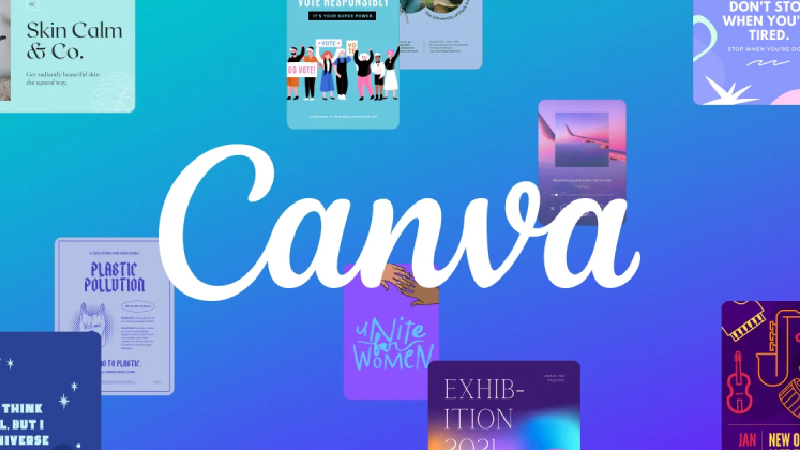
If you liked a Facebook, Twitter, or Pinterest image post today, chances are it was created using Canva. More than 2 million users trust this free designing tool to create all kinds of visual design assets for their online marketing purposes. The optimized image sizes (long for Pinterest, rectangular for Twitter, square for Instagram. Facebook), along with hundreds of amazing pre-made templates make Canva the perfect solution for the busy digital marketer. The drag-and-drop interface of Canva makes complex designs easy to master.
Presentations, social media posts, infographics, marketing material for offline promotions – you name it, and Canva lets you do it. There are millions of stock images you can download, dozens of amazing photo filters for quick enhancements,. Several free icons and shapes to help you create something truly unique.
2- Buffer – Social Media On Auto Pilot

Chances are you spend a lot of time managing social media for your websites. Buffer is for you. The cloud-based software lets you manage all your social media accounts from a single dashboard. Apart from the quintessential post-scheduling functionality, Buffer offers analytics to help you gauge the engagement and success of your posts.
With this social media automation tool, you can schedule up to 10 posts in the queue, integrate 3 social media accounts,. Get a browser extension for easy campaign management. Pablo image editor comes integrated with the account, which makes quick image editing easy. Also, you can use the iOS or Android app for Buffer to manage your social media activity on the move. The premium plans help you with more advanced functionalities and lift the limits on the number of social accounts and posts in the ‘scheduled’ queue.
3-Moz – Free Domain Authority Checker Instantly
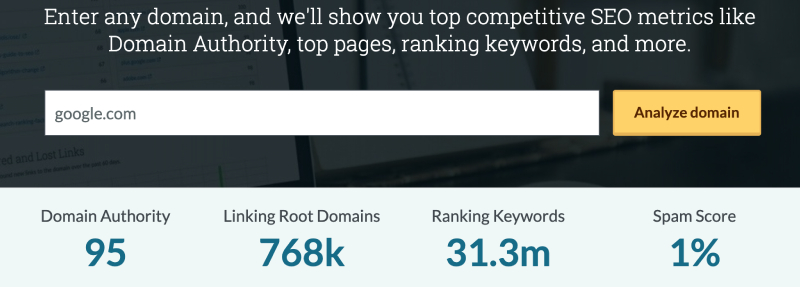
Domain authority is a crucial factor that identifies the popularity of a website in the eyes of Google. In most cases, sites having a higher DA are ranked higher in search engines.
Over The Top SEO also provides a free domain authority checker tool that allows you to quickly check the DA/PA. Moz rank of any website.
4- Charlie – CRM with a Difference

Charlie goes a step beyond what ordinary CRM tools offer you – personal insights into your potential customers. Your sales research process is automated by this tool, as it searches for information and insight about your prospects from dozens of online databases.
You can even key in a single email ID into Charlie,. Let it pull out information and present it to you as a single page. The key advantage is that your team won’t have to waste time on background research on prospects. Expect your lead generation, clickthrough rates, and conversions to benefit from the intel that Charlie gets to you.
5- Paperform – Conduct Surveys Like the Pros

Surveys are key to improving your marketing results, and Paperform´s Survey From Builder makes a breeze to conduct surveys that add value. Their free trial helps you create any kind of survey you need. Customize your surveys with your brand logo, colors, and a dedicated survey URL. You can export your data and run all kinds of analytics on it.
Logic-based survey design makes sure you are able to extract tremendous insights from your campaigns. Their free trial comes loaded with a ton of features and is really easy to use. However, their plans let you create unlimited surveys and allow you to really customize the way to gather or present your data. Also, you get 24×7 email-based customer support, which means you’ll never get stuck with any of their tools.
6- Wistia – One-Stop Destination for Managing Videos
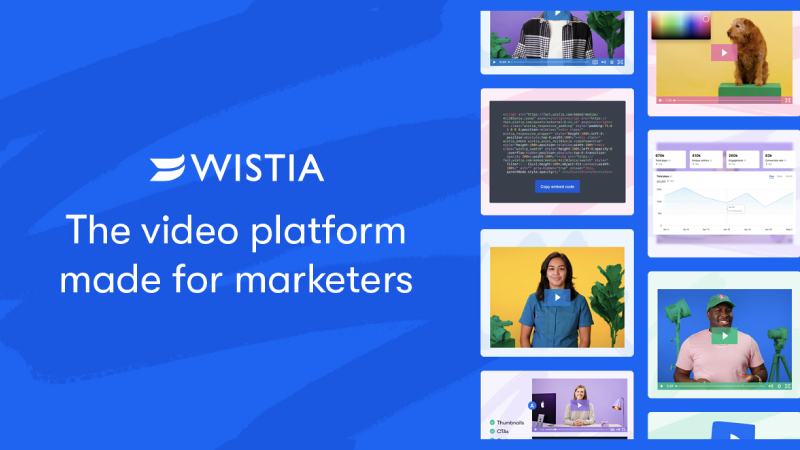
Though YouTube is most marketers’ default choice for uploading videos, Wistia is a great help for those who want to keep users hooked on their own web pages. Do a lot more with their videos. You can upload your video content on Wista, and offer its seamless player on your web pages.
Wistia allows you to add clear CTAs in your video content, lets you capture user emails at the end of videos, and offers heat map reports to help you understand. Components of your videos impress viewers the most. Also, analytics on engagement aspects such as the point till. Users watch the video when they pause, etc help you optimize and improve your video content. Password protection, domain restriction, flexible APIs, detailed documentation, and video SEO – all make Wistia the ultimate video management platform for marketers.
7- SimilarWeb – Marketing Insights
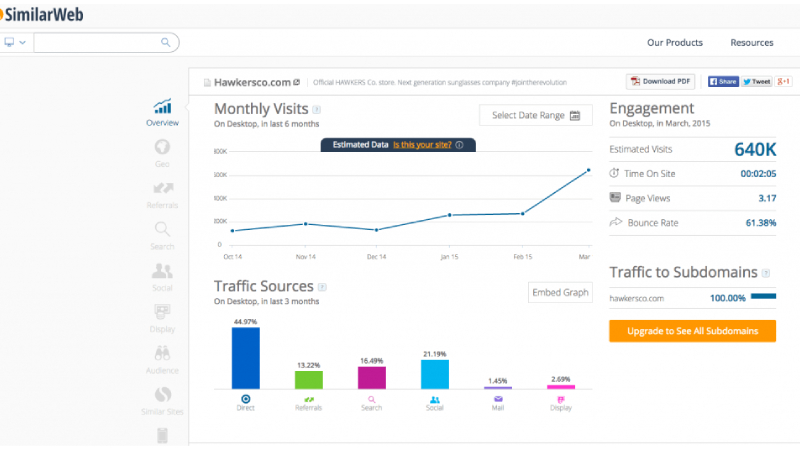
This digital marketing intelligence tool is all you need to extract insights about any website. A website’s ranking, reach, and user engagement – everything is explained amazingly well by SimilarWeb. Apart from individual website analysis, SimilarWeb also helps you with options such as top 50 website lists from industries or countries.
You can check out any website’s global, US, or category-specific ranking, understand the sources of most traffic. Access a rich dashboard full of metrics and reports. With this free business applications, you can even compare two websites and see what the major differences in terms of traffic, engagement, and success are.
8- Mention: Real-Time Updates Across Social Media Platforms

Monitoring conversations on your topic of interest, brand, products, etc. becomes easier than ever with Mention. With Mention, you can easily set up a campaign to get real-time alerts on mentions of keywords important for your digital marketing. Also, with Buffer integration, you can schedule social media posts using Mention.
Answering or managing conversations is easy as you can open your social media accounts within the Mention interface. Among the key applications of Mention as a social media listening. Monitoring tool is crisis control, leveraging opportunities to convert prospects into customers, and finding influencers.
Concluding Remarks
The right tool can be the difference between a good and a bad day for an online marketer. Thankfully, you don’t have to dig deep in your pockets to be able to use some of the most effective and value-adding marketing tools. The ones discussed in this guide are effective, intuitive, scalable, and free – it hardly gets any better. Start using them and automating your menial tasks, so that you can focus on things that matter more.
Frequently Asked Questions
What are the best free business applications for marketers?
Top free tools include Google Workspace, Canva, Buffer, Mailchimp (free tier), Google Analytics, Trello, and Slack.
Are free business applications secure for business use?
Most reputable free tools offer adequate security, but review their privacy policies and terms of service. For sensitive data, consider paid versions with enhanced security.
Can free tools replace paid business software?
For startups and small businesses, free tools often suffice. As you scale, you may need paid versions for advanced features and support.
What free tools help with social media management?
Buffer, Hootsuite (free tier), Later, and Canva offer free tiers for social media scheduling and design.
How do free business apps make money?
They typically offer freemium models, where basic features are free with optional paid upgrades for advanced functionality.
For a deeper dive, explore our guide on Google Photos Businesses Affect.
The Evolution of Digital Marketing Strategy
Digital marketing has transformed dramatically over the past decade, evolving from simple banner advertisements to sophisticated, data-driven strategies that leverage artificial intelligence and machine learning. Understanding this evolution provides context for developing effective modern marketing strategies that resonate with today’s consumers.
Modern digital marketing requires integrated approaches combining multiple channels into cohesive customer experiences. The most successful businesses recognize that consumers interact with brands through complex journeys spanning multiple devices and platforms.
Content Marketing Best Practices
Content remains the foundation of successful digital marketing, serving as the primary mechanism for attracting organic traffic, building brand authority, and engaging target audiences. Effective content addresses specific search queries while providing genuine value to readers through comprehensive answers and actionable insights.
Data-Driven Marketing Decisions
Modern marketing success depends on sophisticated analytics enabling data-driven decisions. Understanding which metrics connect to business outcomes allows continuous optimization and improved return on investment through testing and iterative improvement.
Building Brand Authority
Establishing thought leadership provides significant competitive advantages including increased brand awareness and customer trust. Effective thought leadership addresses emerging trends, challenges conventional wisdom, and provides actionable guidance.
Maximizing Marketing ROI
Proving marketing ROI requires clear objectives, sophisticated tracking, and continuous optimization. The most successful marketing organizations treat marketing as an investment delivering measurable returns through continuous testing.
Learn More: Home
Social Media’s Evolving Role in the SEO Ecosystem
The relationship between social media and SEO is more nuanced than either “. Social signals don’t matter” or “more shares = higher rankings.” google has confirmed they don’t directly use social signals (likes, shares, followers) as ranking factors. However, social media indirectly powers SEO in ways that matter enormously:
- Content distribution: Social amplification gets content in front of journalists, bloggers, and researchers who may cite or link to it. The content doesn’t rank because it’s shared; it earns links because the shares put it in front of linkers.
- Brand search volume: Active social presence increases branded searches — people who see your content on social then search for your brand. Google treats rising branded search volume as a trust signal.
- Content indexing speed: Highly shared content gets crawled faster. For time-sensitive content, social promotion can mean the difference between ranking for a news cycle and missing it entirely.
Platform-Specific Strategies for 2025
Each major platform has distinct algorithmic priorities, content formats, and audience behaviors. Generic “post consistently” advice misses the platform-specific nuances that determine success:
- LinkedIn: The algorithm strongly favors native content — posts, articles, documents — over links to external sites. For B2B brands, LinkedIn is the highest-ROI social platform for organic reach. Text-based posts with personal insights from executives outperform promotional content by 3-5x. Video native to LinkedIn (not YouTube embeds) gets algorithmic priority.
- Instagram: Reels continue to dominate reach in 2025. Single-image posts have seen declining organic reach since 2022. Stories are critical for maintaining engagement with existing followers. The algorithm rewards accounts that use all format types (posts, Reels, Stories, Carousels) rather than specializing in one.
- TikTok: The interest graph (what you engage with) drives distribution, not just the social graph (who you follow). This means new accounts can achieve significant reach without existing followers — but content must hook viewers in the first 1-2 seconds. For SEO teams, TikTok’s search function is increasingly used by Gen Z for product research, making keyword optimization in captions more important than commonly recognized.
- X (Twitter): Despite audience fragmentation, X remains the primary platform for real-time industry discourse and journalist relationships. For link building and PR purposes, maintaining an active, expert-positioned X presence remains valuable even as consumer engagement shifts elsewhere.
Building a Social-to-SEO Content Pipeline
The most efficient teams treat social media as a content testing ground before full SEO investment. The workflow:
- Post short-form content exploring a topic angle (hook, core insight, opinion) as a social post
- Measure engagement: which angles generate comments, shares, and saves?
- Develop the highest-performing angles into full-length SEO content
- Promote the published content on social to accelerate link discovery
- Repurpose the long-form content back into a carousel, Reel, or short video
This flywheel approach means you’re never guessing what content will resonate — the social data tells you before you invest in the full SEO piece. Teams running this workflow consistently report 40-60% higher organic performance on content developed through social validation versus content created purely from keyword research.
Measuring Social ROI in an SEO Context
Attributing SEO value to social media requires moving beyond vanity metrics (likes, followers) to metrics that reflect real business impact:
- Referred links generated: Track how many external sites link to content after social promotion campaigns using Ahrefs or Moz link monitoring.
- Branded search lift: Measure branded search volume before and after major social campaigns using Google Search Console.
- Content indexing speed: Monitor how quickly new content is crawled by Google after social promotion versus without it.
- Dark social traffic: Significant social sharing happens in private messages, Slack, and email — traffic that shows as “direct” in analytics. Tools like Clearbit Reveal can help identify the actual source of unattributed traffic.
-
 By Guy Sheetrit
- Apr 9, 2018
 By Guy Sheetrit


